

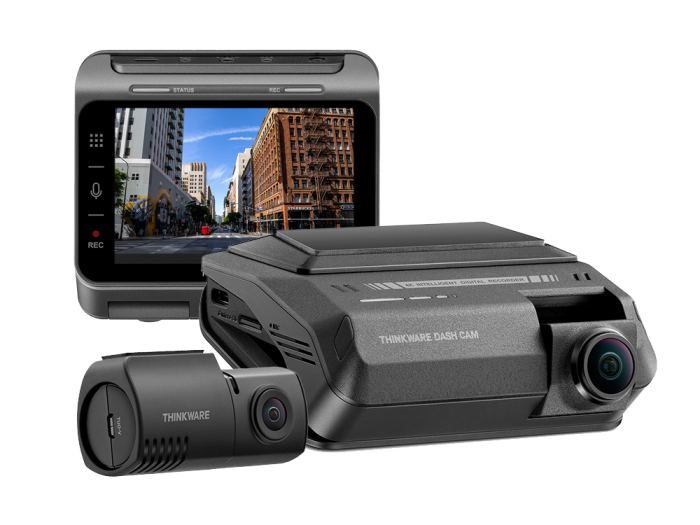
The Complete Thinkware Dash Cam Guide: Models, 360° Camera Coverage, LTE Options, and Professional Installation
A dash cam is no longer just a small camera that records the road ahead. Today’s best vehicle camera systems can monitor the front, rear, sides, and interior of a car; record while the vehicle is parked; notify the owner after an impact; show the vehicle’s location; and provide remote access through a mobile app. Thinkware is one of the leading brands in this category, offering systems for everyday drivers, luxury vehicles, rideshare drivers, work trucks, family vehicles, and commercial fleets.
At Advanced Car Stereo in Riverside, California, we help customers choose and professionally install the right Thinkware dash cam system for their vehicle and priorities. Some drivers only need a dependable front-facing camera. Others want high-resolution front and rear recording. Customers concerned about vandalism, hit-and-run damage, theft, passenger safety, or fleet monitoring may need multi-channel coverage, parking surveillance, or an LTE-connected system.
This guide explains the current Thinkware lineup, how Thinkware’s multi-camera “360-degree” coverage works, which models support LTE connectivity, and why professional installation makes a major difference.
Why Choose a Thinkware Dash Cam?
Thinkware dash cams are designed around video evidence, parking protection, reliability, and discreet installation. Depending on the model and configuration, useful features may include:
- 4K UHD or 2K QHD video recording
- Front and rear camera coverage
- Sony STARVIS or STARVIS 2 image sensors on select models
- HDR for improved detail in difficult lighting
- Built-in Wi-Fi and smartphone app access
- GPS location and speed data
- Impact detection and event recording
- Motion detection, time-lapse, and energy-saving parking modes
- Advanced Driver Assistance System alerts on supported models
- Large-capacity microSD card support
- Optional interior infrared, exterior side, or rear cameras
- Remote notifications and live monitoring through Thinkware Connected
- Dedicated LTE connectivity on compatible premium systems
These features can help document a collision, hit-and-run incident, parking-lot impact, road-rage event, vandalism attempt, or disagreement about what happened. A properly installed system can also continue monitoring when the ignition is off, subject to the selected parking mode, power source, configuration, and vehicle battery condition.
Thinkware Dash Cam Models: Which One Is Right for You?
Thinkware offers several product families rather than a single camera for every driver. Availability and bundles can change, but the models below represent the main options customers are likely to compare.
Thinkware U3000 PRO: Premium 4K, Dual Radar, and Dedicated LTE Capability
The Thinkware U3000 PRO is the flagship choice for drivers who want high-end video, advanced parking surveillance, and an optional direct LTE connection. Its front camera records in 4K UHD, while the matching rear camera records in 2K QHD. That combination is designed to capture important details in front of and behind the vehicle.
The U3000 PRO is especially attractive for parking protection. Thinkware’s Dual Radar Parking Mode watches for movement and impacts while reducing power consumption. When triggered, the system can save a clip that includes footage from before and after the incident. Thinkware states that the PRO version reduces radar-mode power consumption compared with the U3000, helping it remain on guard longer when properly configured.
The U3000 PRO can also accept Thinkware’s optional LTE Module. That gives the system its own supported mobile-data connection without requiring the owner to leave a phone hotspot in the vehicle. Through Thinkware Connected, users can access features such as impact notifications, remote live view, vehicle location information, route history, and geofencing, depending on the active service plan.
One important configuration note: Thinkware says the U3000 PRO can use either the dedicated LTE Module or its compatible interior infrared cabin camera, but not both at the same time. We help customers choose the configuration that best fits their needs.
Best for: Luxury vehicles, premium builds, high-value cars, owners concerned about parking damage or theft, and customers who want Thinkware’s strongest current combination of video quality and connected protection.
Thinkware U3000: High-End 4K Front and 2K Rear Recording
The Thinkware U3000 remains a powerful premium front-and-rear system. It combines 4K front recording, 2K rear recording, Sony STARVIS 2 imaging, and radar-based parking surveillance. For customers who want excellent image quality and long-duration parking protection but do not require the U3000 PRO’s dedicated plug-in LTE module, it can be an excellent option.
The U3000 works with Thinkware Connected through an internet-enabled Wi-Fi connection, such as a compatible mobile hotspot or vehicle Wi-Fi network. This is different from the dedicated LTE Module used with the U3000 PRO and ARC 900. If continuous remote connectivity is important, the vehicle must have a reliable internet source available when the camera needs it.
Best for: Drivers seeking premium 4K/2K video and radar parking protection who already have a vehicle hotspot or do not need an always-on dedicated LTE module.
Thinkware ARC 900: Premium Connected Protection in the ARC Series
The Thinkware ARC 900 is a premium model in Thinkware’s newer ARC family. It is compatible with Thinkware Connected and, with the required firmware, supports the optional dedicated LTE Module used by the U3000 PRO. That makes the ARC 900 a serious option for remote vehicle monitoring, impact alerts, live view, route information, and geofencing.
The ARC series is designed for drivers who want strong performance in a refined, modern package. Because bundles and specifications can vary by market and release, customers should confirm the exact front/rear resolution, included power cable, memory card, and optional accessories at the time of purchase.
Best for: Drivers who want a newer premium Thinkware platform with an available dedicated LTE connection.
Thinkware ARC 800: Advanced Front and Rear Protection
The Thinkware ARC 800 provides an advanced front-and-rear option and is listed by Thinkware as compatible with the Multiplexer Box. This makes it especially relevant for drivers who want to expand beyond a standard two-camera system.
With the correct accessories and installation, the ARC 800 can become part of a three-, four-, or five-channel recording setup. That can be valuable for work vans, pickups, rideshare vehicles, delivery vehicles, and owners who want coverage along the sides or inside the cabin.
Best for: Customers who want a modern front/rear platform with the ability to build a broader multi-channel camera system.
Thinkware U1000 Plus: 4K Front Recording and Expandable Coverage
The Thinkware U1000 Plus is a 4K-focused premium system with HDR and front/rear capability. It supports Thinkware Connected when supplied with an internet-enabled Wi-Fi connection. It is also compatible with Thinkware’s Multiplexer Box, making it an important choice for customers interested in multi-channel recording.
The U1000 Plus is a good fit when high-resolution front video, rear coverage, and system expandability are more important than having the newest dedicated LTE module. A vehicle hotspot or another supported Wi-Fi connection is needed for cloud-connected functionality.
Best for: High-resolution front and rear recording, expandable multi-camera installations, and vehicles with a reliable hotspot.
Thinkware Q850: Balanced 2K Performance and Connected Features
The Thinkware Q850 is a balanced option for customers who want clear 2K-class recording, front/rear protection, and access to supported Thinkware Connected features through Wi-Fi internet. It is also included on Thinkware’s Multiplexer compatibility list.
The Q850 can be a practical middle-ground system: sharper and more feature-rich than an entry-level camera, but generally positioned below the flagship U Series. For many daily drivers, it offers the right balance of clarity, parking protection, and expandability.
Best for: Daily drivers who want strong image quality, cloud features through a hotspot, and the option to add multiple camera views.
Thinkware X850: Practical Front and Rear Coverage With Expansion Options
The Thinkware X850 is a front-and-rear system that also appears on Thinkware’s current Multiplexer Box compatibility list. This makes it a useful platform for customers who value broader camera coverage but may not need the flagship features of a U3000 PRO.
Exact features can differ from the Q and U families, so buyers should compare recording resolution, GPS, connectivity, parking modes, included accessories, and memory-card limits before choosing.
Best for: Practical front/rear protection and multi-channel expansion at a more accessible level.
Thinkware Q200: Excellent Value and Multi-Channel Flexibility
The Thinkware Q200 is one of the most flexible value-oriented models in the lineup. It can be purchased as a front-only or front-and-rear system, and Thinkware also offers cabin-camera bundles. Most importantly for customers seeking expanded coverage, the Q200 is compatible with the Multiplexer Box.
That flexibility makes the Q200 appealing for family cars, rideshare vehicles, small business fleets, and drivers who want dependable recording without moving into the highest price category.
Best for: Value-conscious customers, cabin recording, rideshare use, and affordable multi-channel builds.
Thinkware F200 PRO: Dependable Everyday Protection
The Thinkware F200 PRO is an established entry-level platform with Wi-Fi capability and optional secondary-camera support. It is also compatible with the Multiplexer Box, allowing a properly designed system to grow beyond basic front-only recording.
It may not offer the resolution or remote functions of the latest flagship cameras, but it remains useful for customers whose main goal is dependable evidence and parking recording at a lower cost.
Best for: Budget-friendly daily-driver protection and entry-level multi-camera installations.
Thinkware F70 PRO: Simple Front-Facing Recording
The Thinkware F70 PRO is a compact, straightforward front-facing dash cam. It is designed for drivers who want the essential benefits of continuous road recording and incident capture without paying for a large multi-camera or connected system.
The F70 PRO is not the first choice for a customer requesting full 360-degree coverage or dedicated LTE monitoring. It is the choice for a clean, affordable installation that focuses on the road ahead.
Best for: First-time dash cam buyers, commuters, secondary vehicles, and customers who prioritize simplicity and price.
What Does “Thinkware 360 Camera” Actually Mean?
Many customers search Google for a Thinkware 360 camera, but it is important to understand what the system does. Thinkware’s expandable solution uses a Multiplexer Box and several individual cameras to record multiple areas around or inside the vehicle. Depending on the compatible dash cam and selected accessories, the system can support three, four, or five recording channels.
A common five-channel layout may include:
- The main forward-facing dash cam
- A left exterior side camera
- A right exterior side camera
- A rear-facing camera
- An interior infrared cabin camera
This creates broad, near-360-degree surveillance around the vehicle plus interior coverage. However, it should not be confused with a factory bird’s-eye parking camera that digitally stitches images into one overhead view on the radio screen. Thinkware’s system records separate camera angles for evidence and surveillance.
Thinkware lists the Multiplexer Box as compatible with models including the ARC 800, U1000 Plus, U1000 PRO, Q850/Q850 PRO, Q200, F200 PRO, F790, X850, X800, and X700. Compatibility can depend on the camera version, cables, firmware, and intended channel layout, so every system should be planned before installation.
Who Benefits From a Thinkware Multi-Channel Camera System?
A multi-channel Thinkware installation is especially useful for:
- Rideshare drivers: Record the road, rear traffic, passenger compartment, and activity beside the vehicle.
- Delivery and work vehicles: Document incidents around vans, trucks, cargo areas, and frequent curbside stops.
- Luxury and exotic vehicles: Monitor more angles when the vehicle is parked in public.
- Parents of teen drivers: Review driving events and, with a compatible connected system, use location or geofence features.
- Fleet operators: Add evidence, route visibility, and incident reporting across business vehicles.
- Drivers worried about vandalism: Side cameras may capture incidents that a standard front/rear system could miss.
- Off-road, marine, or specialty vehicle owners: Obtain customized views when compatible mounting and weather exposure requirements are properly addressed.
Camera placement matters. Side cameras need a useful viewing angle without creating unnecessary blind zones. Exterior mounting requires careful cable routing, water-resistance planning, and protection from moving components. Interior infrared cameras should be positioned to capture passengers without blocking the driver’s view.
Thinkware LTE Dash Cam Options Explained
LTE changes a dash cam from a recorder you check later into a more active vehicle-monitoring tool. A standard Wi-Fi dash cam typically creates a short-range connection to your phone for settings, playback, and downloads. That Wi-Fi connection alone does not mean the camera has internet access when you are away from the vehicle.
With a supported Thinkware Connected setup, internet access can enable:
- Driving and parking impact notifications
- Remote live view
- Vehicle status and driving history
- Last parking location and captured images
- Emergency messages to registered contacts
- Geofence alerts
- Route history and, on certain plans, driving reports
- Remote access from a compatible phone or computer
There are two main ways to connect.
Dedicated Thinkware LTE Module
The dedicated Thinkware LTE Module is currently designed for the U3000 PRO and ARC 900. It includes a USIM and data under Thinkware’s plan terms, so a separate phone hotspot is not required. Thinkware currently advertises three years of Basic service with the module, followed by a paid monthly or annual subscription if the customer continues the service. Premium service is also available for customers who need higher limits or additional connected features.
Plan prices, feature limits, included data, and supported countries can change. Always confirm the current terms before purchasing.
Vehicle Wi-Fi or Mobile Hotspot Connection
The U3000, U1000 Plus, Q850, and other compatible models can access Thinkware Connected through an internet-enabled Wi-Fi network. This may be a vehicle’s built-in hotspot or another mobile hotspot that remains powered and available.
This approach can work well, but it depends on the hotspot’s data plan, signal, power, sleep behavior, and automatic reconnection. If the hotspot turns off after the vehicle is parked, remote parking alerts and live access may stop even though the dash cam continues recording locally.
Why Parking Mode Requires Correct Power Installation
Parking Mode does not work properly simply because the camera is attached to the windshield. The dash cam must receive power after the ignition is turned off and must be able to identify when the vehicle is parked. Depending on the model and vehicle, this may require a compatible hardwiring cable, an OBD-II power cable, or a dedicated external dash cam battery.
A professional installer should identify constant power, accessory power, and a safe ground; select suitable protected circuits; route the wiring correctly; and configure the camera’s low-voltage cutoff. The goal is to provide useful parking surveillance while reducing the risk of draining the vehicle’s starting battery.
For longer parking times, an external battery such as Thinkware’s iVolt system may be appropriate. The ideal solution depends on the vehicle, average driving time, desired parking duration, camera-channel count, and parking mode.
Why Professional Thinkware Dash Cam Installation Matters
Even an excellent dash cam can perform poorly when it is installed incorrectly. Common DIY problems include a blocked camera view, visible hanging wires, airbag interference, incorrect fuse selection, poor grounding, loose connections, rear-camera cable damage, excessive battery drain, and parking mode that never activates.
Professional installation can provide:
- Proper front and rear camera placement
- Safe cable routing away from curtain airbags and moving parts
- Correct hardwiring for parking surveillance
- Clean, factory-style appearance
- Correct setup of voltage cutoffs and parking modes
- Proper positioning of side and interior cameras
- Firmware and mobile app setup
- Memory card configuration and recording verification
- Customer instruction on saving and downloading important clips
Modern vehicles can include sensitive electronics, battery-management systems, advanced airbags, driver-assistance sensors, and complex trim panels. An experienced installer knows that a dash cam installation must protect both the camera system and the vehicle.
Choosing the Best Thinkware Dash Cam for Your Vehicle
Start with the type of protection you need:
- Choose the F70 PRO when you want simple front-facing evidence at an affordable price.
- Choose the F200 PRO or Q200 when you want value, front/rear or cabin options, and possible multi-channel expansion.
- Choose the Q850 or X850 for a stronger midrange system with front/rear protection and compatible expansion options.
- Choose the U1000 Plus for 4K-focused recording and Multiplexer compatibility.
- Choose the U3000 for premium 4K front, 2K rear, and radar parking protection with hotspot-based connected service.
- Choose the ARC 900 or U3000 PRO when dedicated LTE connectivity is a priority.
- Choose a Multiplexer-based system when you need side, rear, and interior views for broad multi-channel coverage.
The highest-priced model is not automatically the right one. A rideshare driver may benefit more from cabin and side coverage than from maximum front resolution. A luxury-car owner who parks in public may prioritize radar parking mode and LTE alerts. A commuter may only need a clean front/rear system that records reliable evidence.
Frequently Asked Questions About Thinkware Dash Cams
Does Thinkware make a true 360-degree dash cam?
Thinkware offers broad multi-angle recording through its Multiplexer Box and compatible front, side, rear, and interior cameras. It can create a three-, four-, or five-channel surveillance system. It is not the same as a factory stitched bird’s-eye parking camera.
Which Thinkware dash cams support the dedicated LTE Module?
Thinkware currently identifies the U3000 PRO and ARC 900 as compatible with its dedicated LTE Module. Other connected models may require an internet-enabled vehicle or mobile hotspot.
Can I use the U3000 PRO LTE Module and interior camera together?
No. Thinkware states that the U3000 PRO supports either the LTE Module or its compatible interior infrared camera, but not both simultaneously.
Will a Thinkware dash cam record while my car is off?
It can when a supported parking mode is enabled and the camera is installed with a suitable continuous power solution. Actual recording time depends on power source, settings, temperature, battery condition, camera count, and event activity.
What happens when the memory card becomes full?
During normal operation, the dash cam uses loop recording and overwrites older non-protected files as storage fills. Important footage should be downloaded or backed up promptly because file protection and overwrite behavior depend on recording type and settings.
Is LTE the same as Wi-Fi?
No. Wi-Fi commonly connects your phone directly to the dash cam or connects the dash cam to an existing hotspot. The optional Thinkware LTE Module provides supported cellular data directly to compatible U3000 PRO and ARC 900 systems.
Do I need a subscription for Thinkware Connected?
Service terms depend on the camera and connection type. Thinkware currently includes a limited Basic period with eligible setups and offers paid service afterward or a Premium plan. Confirm current prices, data allowances, and feature limits before purchase.
How large of a memory card should I use?
Choose a Thinkware-approved card within your model’s supported capacity. Higher-resolution and multi-channel systems create more data, so a larger compatible card generally provides more recording time before loop overwrite.
Get Professional Thinkware Dash Cam Installation in Riverside, CA
The best Thinkware setup is the one designed around your vehicle, parking habits, security concerns, and budget. Advanced Car Stereo can help you compare front-only, front-and-rear, cabin, multi-channel, parking-mode, and LTE-connected options. We can also plan a clean installation that protects the vehicle’s interior, electrical system, airbags, and warranty-sensitive components.
Visit Advanced Car Stereo in Riverside, California, for professional Thinkware dash cam installation. Whether you need a simple camera for daily driving, a premium U3000 PRO with LTE, or a multi-channel system with side, rear, and interior recording, our team can build the right solution for your car, truck, SUV, rideshare vehicle, or business fleet.
Protect the drive. Monitor the parking space. Capture the evidence. Contact Advanced Car Stereo today for a personalized Thinkware dash cam recommendation and installation quote.
Suggested SEO Image Alt Text
- Thinkware dash cam professionally installed in Riverside CA
- Thinkware U3000 PRO front and rear dash cam installation
- Thinkware 360 camera system with side rear and interior cameras
- Thinkware LTE dash cam remote vehicle monitoring
- Thinkware Multiplexer Box five-channel camera installation
- Professional parking mode dash cam hardwire installation
Suggested Internal Links
- Dash Cam Installation Services
- Front and Rear Camera Installation
- Fleet Vehicle Camera Systems
- Car Alarm and Vehicle Security
- Backup Camera Installation
- Contact Advanced Car Stereo Riverside
Publisher’s Accuracy Note
Product availability, compatibility, specifications, firmware requirements, mobile-data coverage, subscriptions, plan pricing, and feature limits may change. Confirm the exact model, bundle, accessories, and current Thinkware Connected terms before sale or installation.
Official Product References
- Thinkware Dash Cam Collection
- Thinkware Connected
- Thinkware LTE Module
- Thinkware U3000 PRO
- Thinkware Multiplexer Installation and Compatibility


